Set of 5 mini chocolates personalised with photos and text - Unicorn
Sweeten them up with the most aromatic mini chocolates!
32,99 Lei
Product code: 11396
Product code: 11396





You might also be interested in ...


Product description
What child doesn't love chocolate? :)
These mini bars will bring a smile to the faces of little ones when they receive this sweet gift.
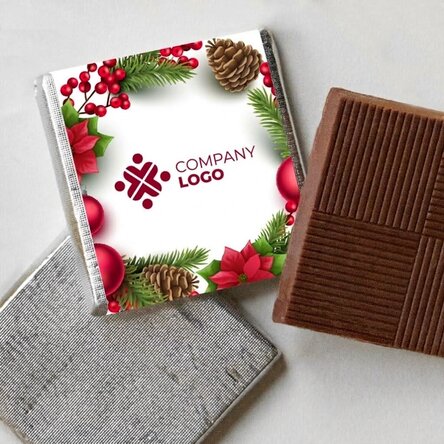
The 5 chocolate squares are handcrafted from the finest chocolate. Personalise them and give a sweet and surprising gift!
What can I personalise?
The mini chocolate can be personalised with photos and text.
How can I personalise it?
Step 1: Click on the "Personalisation" button
Step 2: Fill in the text field with the desired message, choose the text colour, then click on the "Confirm" button
Step 3: Click on a sample photo and then click on the green "Upload photos" button at the
bottom. Step 4: Select the photos from your computer, phone or tablet. Uploading will start immediately.
Step 5: Choose a section of the product where you want to use the image.
Step 6: Choose the photo you want to appear in the selected section.
Step 7: If necessary, you can edit the photo by changing its position, zoom or rotation.
Step 8: When you are satisfied with the result, click on the "Confirm" button and continue with the next photo
. Step 9: Once you have finished customising, click on the "Finish" button and add the product to your basket.
These mini bars will bring a smile to the faces of little ones when they receive this sweet gift.
The 5 chocolate squares are handcrafted from the finest chocolate. Personalise them and give a sweet and surprising gift!
What can I personalise?
The mini chocolate can be personalised with photos and text.
How can I personalise it?
Step 1: Click on the "Personalisation" button
Step 2: Fill in the text field with the desired message, choose the text colour, then click on the "Confirm" button
Step 3: Click on a sample photo and then click on the green "Upload photos" button at the
bottom. Step 4: Select the photos from your computer, phone or tablet. Uploading will start immediately.
Step 5: Choose a section of the product where you want to use the image.
Step 6: Choose the photo you want to appear in the selected section.
Step 7: If necessary, you can edit the photo by changing its position, zoom or rotation.
Step 8: When you are satisfied with the result, click on the "Confirm" button and continue with the next photo
. Step 9: Once you have finished customising, click on the "Finish" button and add the product to your basket.
Reviews (rating 5 / 5)
Write a review
100% would recommend it to a friend
Reviews (rating 5 / 5)
100% would recommend it to a friend
Write a review
Verified buyer
Set of 5 mini chocolates personalised with photos and text - Unicorn
Cadoul perfect
Calitate si rafinament
Cri, Cluj