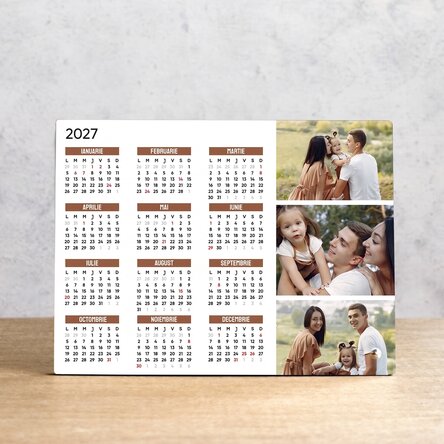
Personalised desk photo frame with 3 photos and calendar
65,99 Lei
Product code: 13005
Product code: 13005





Newest products ...


Product description
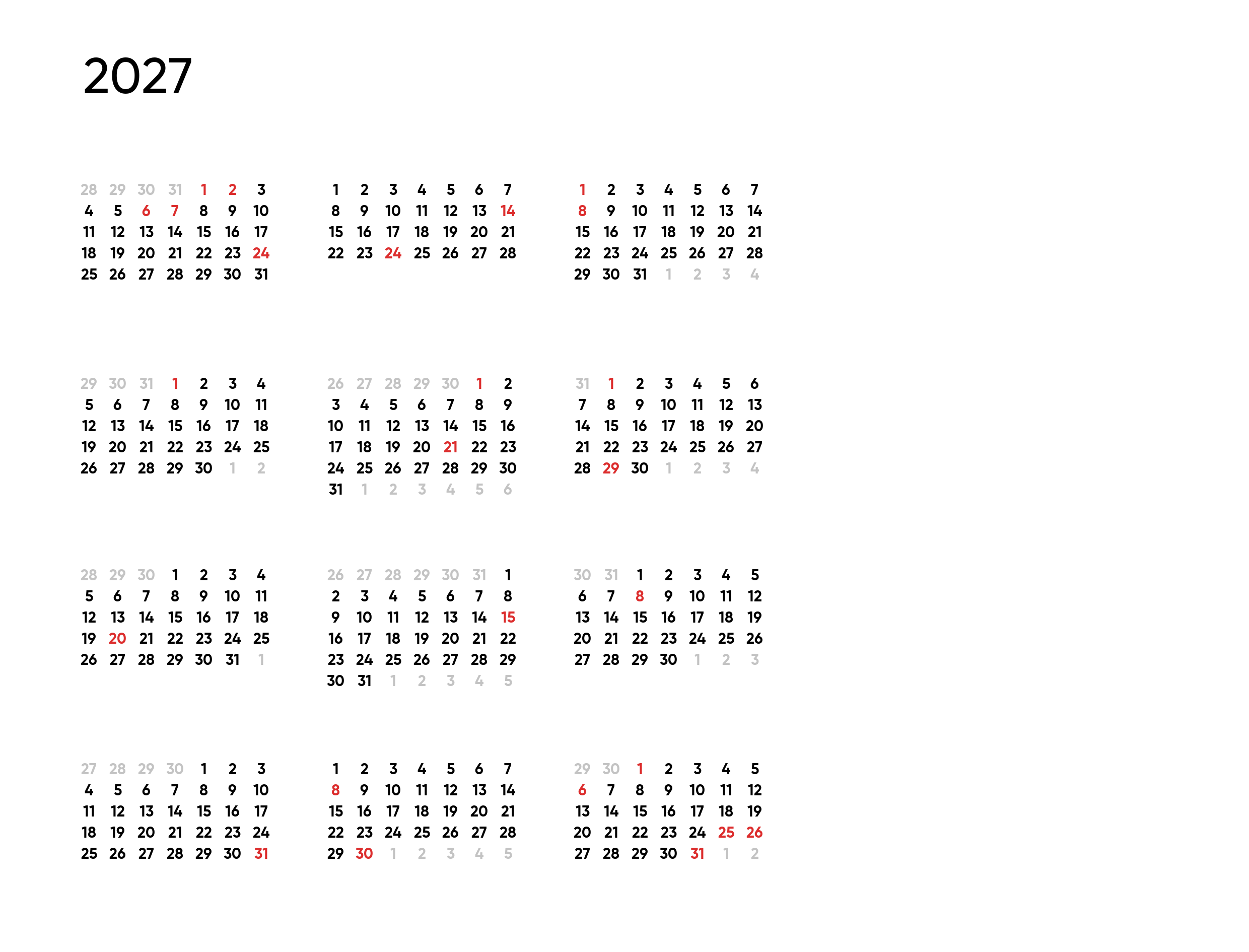
A successful gift is one that reminds you, whenever you look at it, of the person who gave it to you. That's why the easiest way to give a unique gift is to think of an object that is looked at or used as often as possible, and a desk calendar is definitely one of the focal points of everyday life, whether at home or at the office, the place where we mark important events and plan every moment of our lives. But we're not talking about just any calendar. We're talking about a personalised desk frame with a calendar and three of your favourite photos.
What can I personalise?
The frame can be personalised with 3 photos and text.
How can I personalise it?
Step 1: Click on the "Personalise" button
Step 2: Fill in the text field with your desired message, choose the background colour for the months of the year, then click on the "Confirm" button
Step 3: Click on a sample photo and then click on the green "Upload photos" button at the bottom (The images will be saved for future use).
Step 4: Select the photos from your computer, phone or tablet. The upload will start immediately.
Step 5: Choose the photo you want to appear in the selected section.
Step 6: If necessary, you can edit the photo by changing its position, zoom or rotation.
Step 7: When you are satisfied with the result, click on the "Confirm" button and continue with the other photos.
Step 8: Once you have finished customising, click on the "Finish" button and add the product to your basket. Print
size: 20x15 cm
Material: MDF, supported by a metal stand
What can I personalise?
The frame can be personalised with 3 photos and text.
How can I personalise it?
Step 1: Click on the "Personalise" button
Step 2: Fill in the text field with your desired message, choose the background colour for the months of the year, then click on the "Confirm" button
Step 3: Click on a sample photo and then click on the green "Upload photos" button at the bottom (The images will be saved for future use).
Step 4: Select the photos from your computer, phone or tablet. The upload will start immediately.
Step 5: Choose the photo you want to appear in the selected section.
Step 6: If necessary, you can edit the photo by changing its position, zoom or rotation.
Step 7: When you are satisfied with the result, click on the "Confirm" button and continue with the other photos.
Step 8: Once you have finished customising, click on the "Finish" button and add the product to your basket. Print
size: 20x15 cm
Material: MDF, supported by a metal stand
Reviews
Write a review
Reviews
Write a review
Verified buyer
![Review photo Personalised backpack with name - Giraffe by Oana]()
Personalised desk photo frame with 3 photos and calendar
Promptitudine și calitate.

Oana, Iasi
Verified buyer
Personalised desk photo frame with 3 photos and calendar
Pentru ca se lucreaza ușor cu voi, comanda a venit rapid și am fost plăcut surprinsă
Ioana, Cluj-Napoca
Verified buyer
Personalised desk photo frame with 3 photos and calendar
Calitate foarte bună, serviciu foarte rapid!
Roxana, Bacau
Verified buyer
Personalised desk photo frame with 3 photos and calendar
Recomand și voi recomanda mereu ! Mereu m-am întors la voi pentru alt comenzi 😎
Claudia, București
Verified buyer
![Review photo Mini wine bottle personalised with a heart-shaped pearl photo by Daniela]()
Personalised desk photo frame with 3 photos and calendar
Frumos

Daniela, Făurei
Verified buyer
Personalised desk photo frame with 3 photos and calendar
Super
Gab, Cluj
















 Poland